

While MediaTek smartphones require modifications for tasks like flashing and repairs, manufacturer security makes it difficult. The LibUSB Win32 Driver breaks through this barrier, allowing tools like SP Flash Tool to recognize these phones on Windows for easy customization.

Download Link
- Libusb Win32 Driver (MTK) || MediaFire || Google Drive || Mega
How to install it?
- Download and extract the LibUSB Driver to your computer.
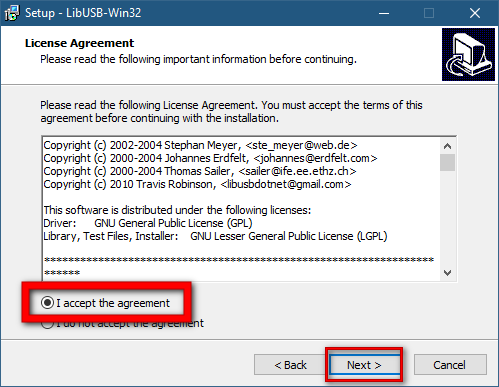
- Run "libusb-win32-devel-filter-1.2.6.0.exe."
- Accept the Licence and click "Next."
- Choose the installation directory and click "Next."
- The installation process will commence.
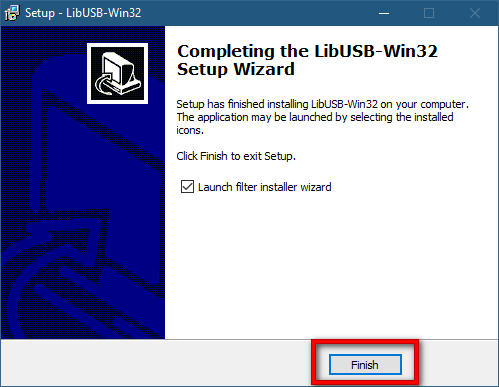
- Tick the "Launch Filter Installer Wizard" option.
- Click "Finish."
- The Filter Installer Wizard will open.
- Tick "Install a Device Filter" and click "Next."
- Power off your smartphone.
- Press the Volume Up and Power buttons and insert a USB cable.
- The LibUSB window will display the device's COM Port; click "Install."
- Click "OK."



Compatibility
Many Windows versions, including Windows 10 to Windows XP are compatible with the LibUSB Win32 Driver. Because of this, users on different Windows platforms can choose it.



![Unlock Tool 2026.05.04.0 Released [Latest Version]](https://blogger.googleusercontent.com/img/a/AVvXsEiybNFqJPBiI-QDL-WNuv813C6nPcquxVmcGGdQrgUv20B8dkwoo8xzvjoDx3Iv3QjgNgvSxjhyVLWCeQxGFBCNXj35bTauYLrM1VyFcTT6JT8Sn3kw2SWDw-Auz_Fo7D7xtEHvMKMwLqsvZ_R20A23yefK3aahcgywEkYU_W3aiBJGh3RFBTbjVWTpEF4-=w100)


0 تعليقات
Do Not Send SPAM Link !!!!